Your files, your tree
Start a new family tree or bring one you’ve already created. Usrah supports GEDCOM and .umsg files, so you can keep working with your existing research.
 manhaj.
 Usrah
UsrahBring your family’s history together with people, photographs, and stories. Explore relationships across generations and turn your research into family charts and reports worth sharing.
usrah.manhaj.dev Usrah — Families connect generations
Start a new family tree or bring one you’ve already created. Usrah supports GEDCOM and .umsg files, so you can keep working with your existing research.
Record names, dates, places, and the stories behind them. Add parents, siblings, partners, and children to reflect your family’s relationships.
Add, caption, reorder, and choose a primary photograph. Frame each person’s portrait separately, even when several people share one group photograph.
Explore ancestors and descendants in an interactive family chart. Follow a person’s life through a timeline, or see how relatives are connected to you, step by step.
Spot details that need attention, bring family trees together, or save one branch as its own tree. Review differences and choose which details to keep.
Create ancestor and descendant reports, family group sheets, and wall charts. Choose what to include about living relatives, then save your work for printing or sharing.
From the app itself.
Select an image for a closer look.
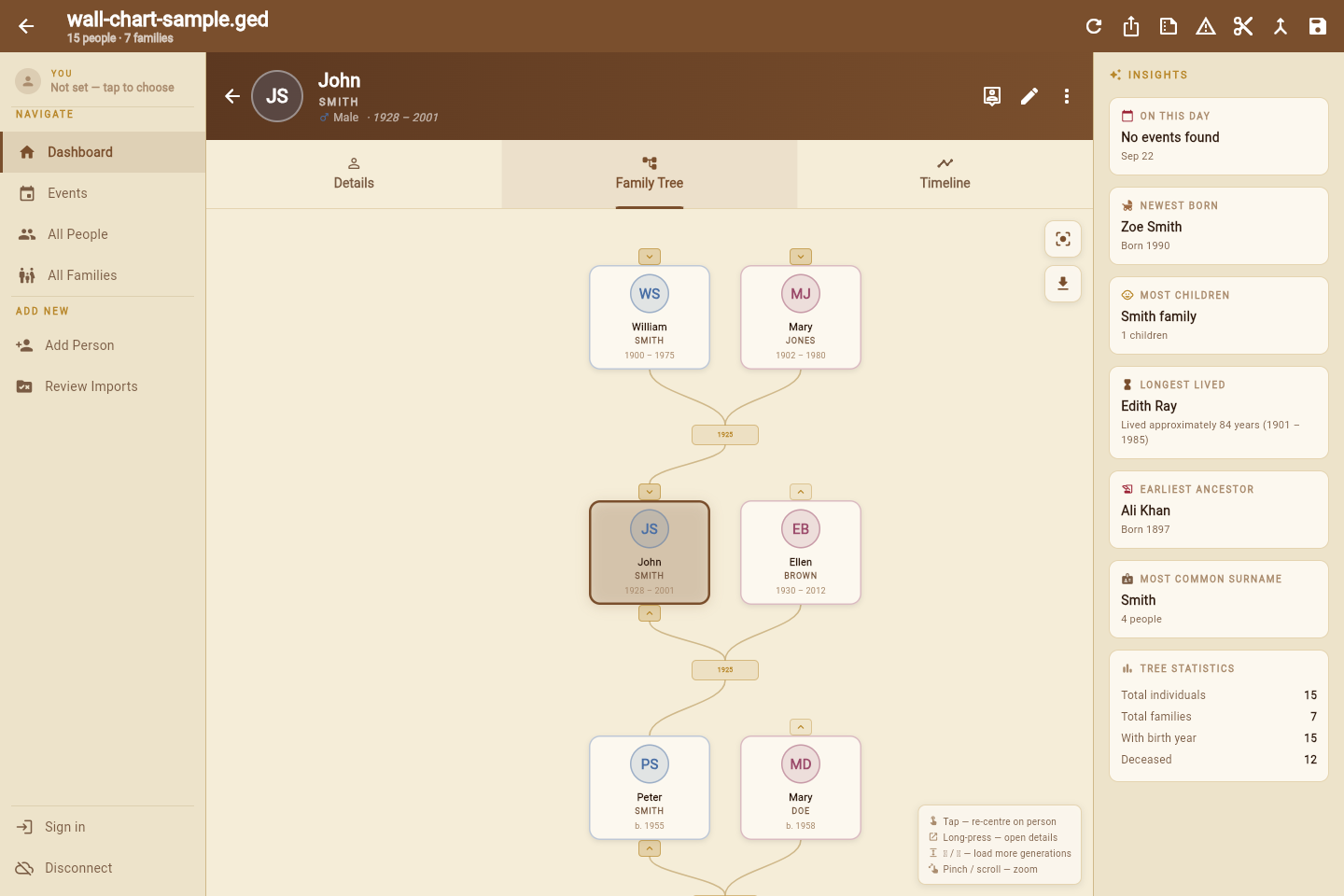
Explore and edit your family tree straight from your browser, without installing a desktop app.
With Takhzeen, keep your family tree and photographs online and access them across devices. Usrah takes care of the initial setup for your tree, so you can focus on your family’s story.
Explore TakhzeenKeep your tree on your own device, or connect through Takhzeen to save your changes online automatically. Controls for sharing access to your tree are still being developed.
Choose your platform and package.
Build dates are shown for each download.
928ef88db9d6b080826ebaef72bd87828abfdca7a776c70a299eac079331e5769ce6ed4a426e77d9fbbbd03f45afb7f9265ebde5f9a150a4f1f2b07cd13f6028ed3f7114b22fa2751ea8e7a8bedf5ba3bbba14ab4f992a3442dc7f6b64a229d166a2c7fe4da0cc0e398d892658fa7d073eca6002a261614e9b9f14a074dde2d5bc87f4b142fa1ad806929bdbd9e4e823c1fdb966a66784f2af6ffe1d64454bddOn Windows, choose the installer or extract the portable ZIP and open usrah.exe. On Android, extract the ZIP and open the APK inside to install. On Linux, extract the archive and open usrah, keeping its files together. The Linux build requires a 64-bit desktop with GTK 3 and glibc 2.34 or newer.
These are the latest release builds available here; older builds may predate recent features. Download checksums.
Explore the rest of our software collection.