A workspace you choose
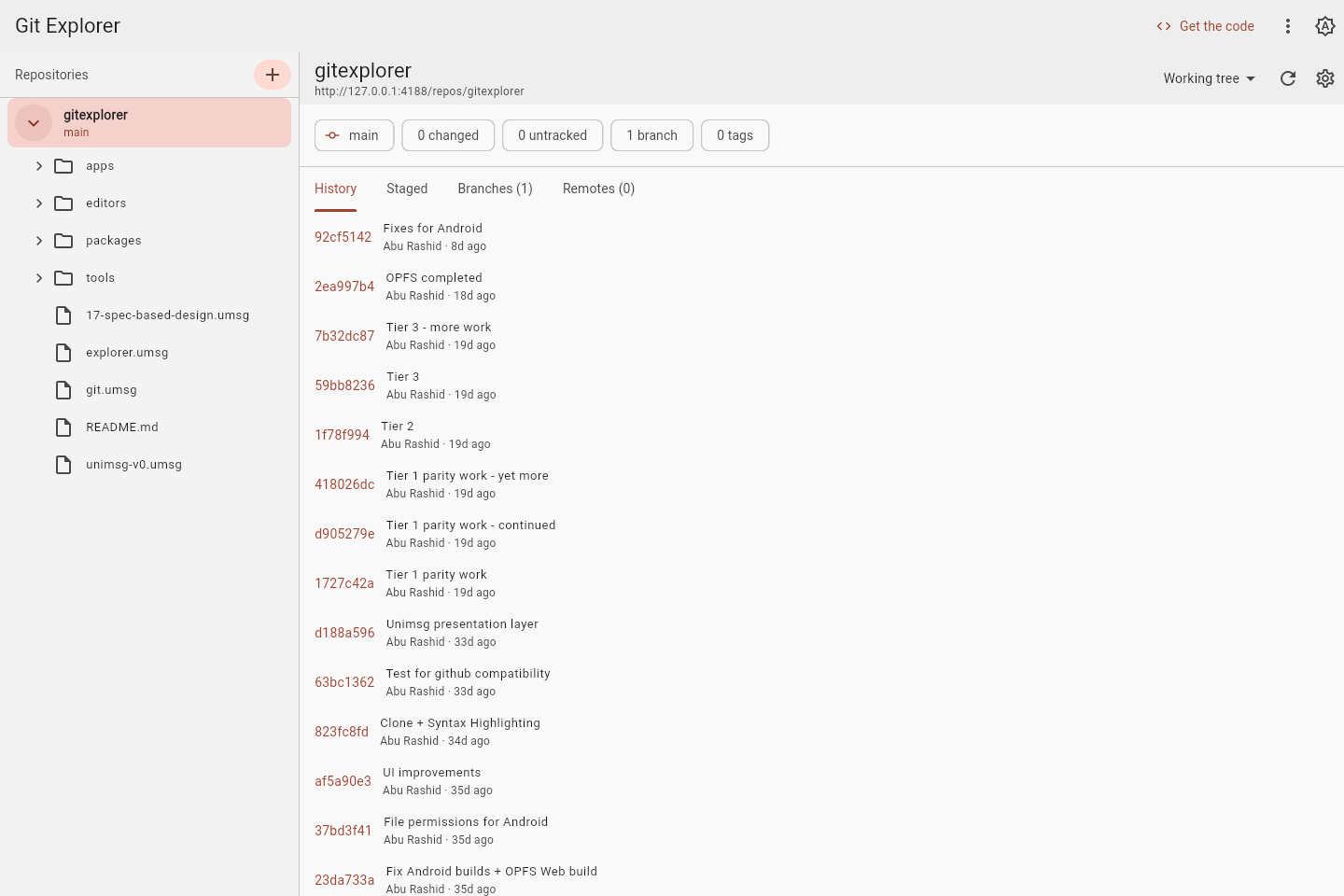
Add repositories from anywhere on disk to one persistent list. Expand each repository into folders and files without reorganising your filesystem.
 manhaj.
 GitExplorer
A Git repository explorer built on git_dart. Browse files at any revision, review changes, edit your working tree, and stage and commit from a Flutter interface that runs on desktop and in the browser.
gitexplorer.manhaj.devAdd repositories from anywhere on disk to one persistent list. Expand each repository into folders and files without reorganising your filesystem.
View the working tree, HEAD, a branch, or a specific commit. Inspect file history and diffs, with status shown for the working tree.
Edit working-tree files in place and save with Ctrl+S. Unsaved drafts survive navigation, and a save is refused if another program has changed the file.
Create files and nested folders from the tree. Select a folder without a repository and GitExplorer offers to initialise one using your Git branch-name preference.
Review separate Staged and Not staged lists. Stage or unstage a file or a whole directory, including the deletion of a missing path.
Write a message and commit the index. Missing identity, unresolved conflicts, an empty message, or nothing staged are reported before committing.
From the app itself.
Select an image for a closer look.
GitExplorer is built on git_dart, a pure-Dart reimplementation of Git. The library reads and writes real Git repositories directly: objects, commits, branches, the staging index, and the storage formats beneath them. Its Git engine needs no separate git executable, FFI bridge, or libgit2.
GitExplorer gives that engine a visual workspace. Opening a file at a revision, reviewing a diff, or making a commit exercises the library against the same repositories you use every day. The library’s interoperability tests check its results against Git itself, including whether Git can read back what it writes.
Both the library and the explorer grow from explicit specifications. A shared Dart foundation also makes a browser version possible, with browser-backed storage in place of the desktop filesystem.
Open the demo and explore GitExplorer’s own source code. Browse files, follow commits, and try making changes—there’s nothing to install.
Your workspace is saved in this browser. Experiment freely, download your copy, or use Reset the demo to start again. The first visit downloads the app and its repository.
Launch the GitExplorer demoDesktop builds use local repositories. Browser builds keep a separate workspace in browser storage; connecting to remote repositories depends on the server allowing browser requests. Features vary with the build date shown below.
Choose your platform and package.
Build dates are shown for each download.
30c5d36347284fbacf2cf214e2a1a47a9ba2a6d64f8ad4966560275253b07aa0f993ff589bdfad7fdf2e6d8e850c9b4bd6d909de5c19a38dd83119acae5d42d7f74ee36fd231316be238de10483b9345ab6f11653c1ecffab59ad1dd5e9f83e82ed249946465db5d7fc70d12641df7132ac2e81fc9c4e9b23f4fb3738ff96583Choose the setup EXE for a guided Windows installation with shortcuts and uninstall support. The portable ZIP is also available: extract the entire folder and run gitexplorer.exe. The Android APK is an older release build, dated separately.
These are the latest release builds available here; older builds may predate recent features. Download checksums.
Explore the rest of our software collection.